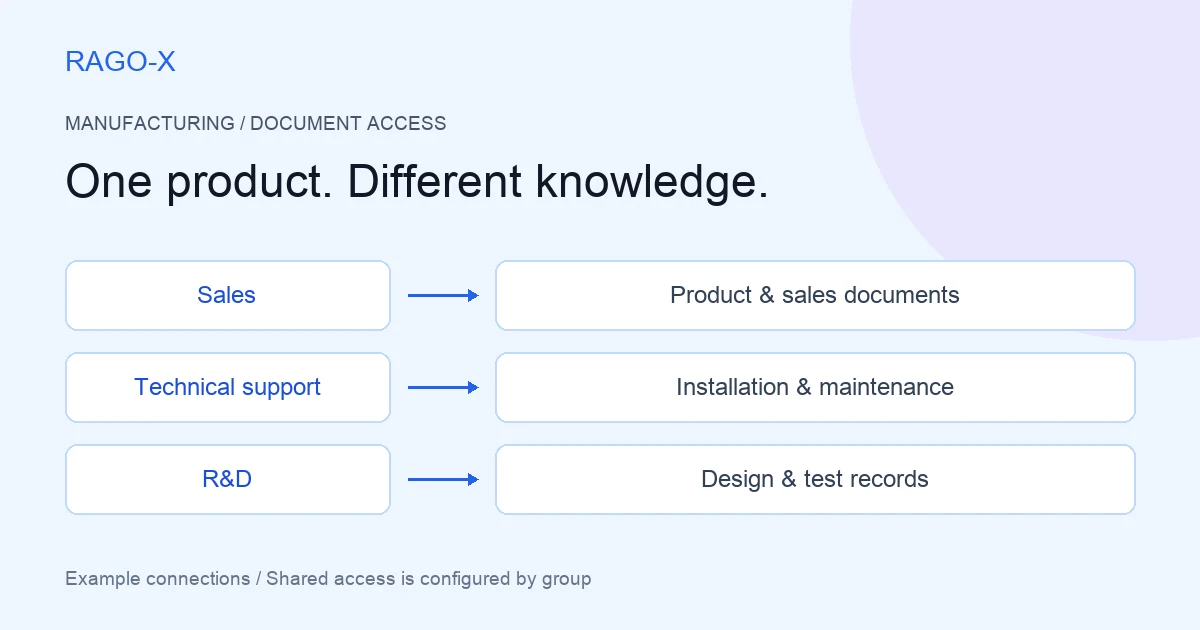
A sales representative was looking for a product specification to send a customer. A technical support specialist needed an inspection procedure for the same equipment. An R&D engineer was reviewing design changes identified in recent tests.
All three sets of documents carried the same equipment name. That did not mean everyone needed every document. Approved customer specifications and designs still under internal review have different purposes and audiences.
This is a fictional operating scenario in which an industrial equipment manufacturer designs cabinets and group access using RAGO-X. It does not report an actual customer deployment or measured results.
It started with one folder per equipment model
Initially, the company collected brochures, installation manuals, field checklists, design reviews, and test results in a folder for each model.
Collecting files was convenient, but using them raised questions:
“Is this the final specification we can send to the customer?”
“Can field technicians see just the installation procedures they need?”
“Do we have to expose internal test records when giving sales access to product documents?”
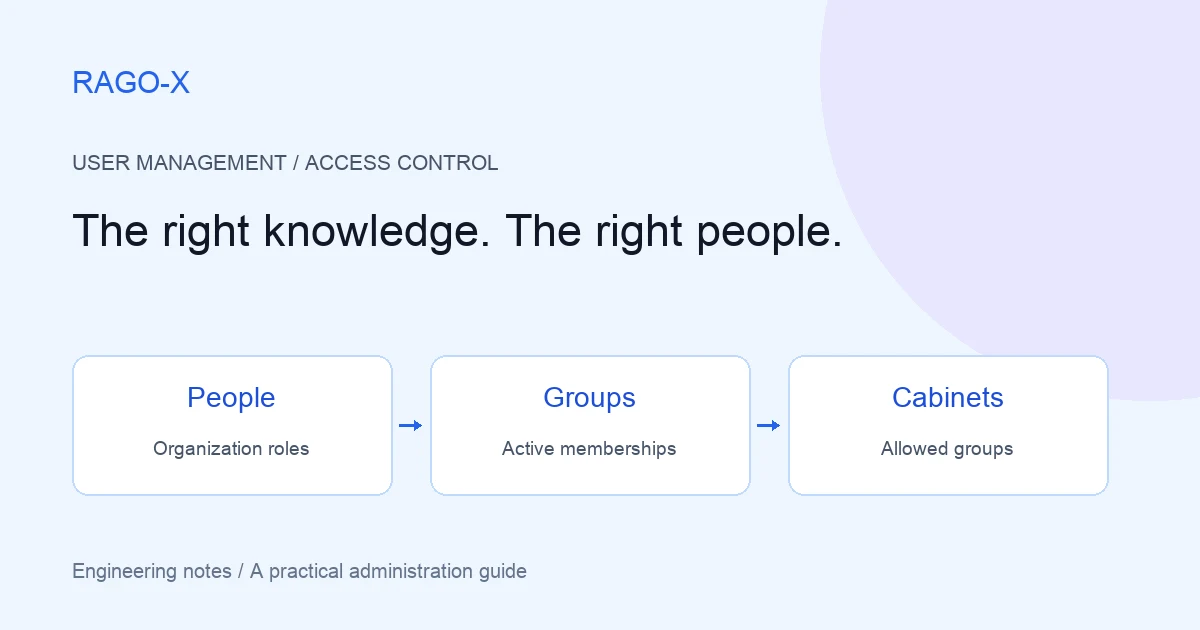
Before moving documents into RAGO-X, the team adopted a rule: organize cabinets around documents that can be provided to the same people, not just the same equipment name.
Cabinet-based group access means considering both topic and audience. Writing “internal” in a document title does not create an access boundary.
First, divide documents into five work areas
The organization owner and departmental document owners reviewed the inventory. Sales checked approved product material, technical support reviewed field procedures, and R&D reviewed design and test documents.
| Cabinet | Documents | Classification rule |
|---|---|---|
| Company-wide guidance | Organization information, common procedures | Material shared across staff |
| Product and sales | Brochures, approved specifications, proposal templates | Customer explanations and proposals |
| Installation and maintenance | Installation manuals, checklists, incident procedures | Field installation and technical support |
| Design and testing | Design documents, test results, development reviews | Internal R&D review |
| Partner sharing | External installation guidance, approved specifications | Material reviewed for delivery to partners |
Documents about the same equipment can live in different cabinets. Approved specifications go in Product and sales; internal design reviews go in Design and testing.
The name Partner sharing does not mean a public link or automatic external sharing. In this example it is a cabinet where internal staff collect, review, and distribute material suitable for external recipients.
Review external material separately
If an installation manual contains internal notes, technical support prepares a reviewed version suitable for the partner instead of simply placing the original in the sharing cabinet.
This is not automatic redaction or release approval by RAGO-X. The organization's staff decide which documents belong where.
When the same approved material must appear in several cabinets, assign responsibility for updating every copy. Separating cabinets does not eliminate version-maintenance procedures.
Next, create groups around work scope
The owner gives document users the member role and creates these groups:
- All staff: people who need common guidance.
- Sales: people handling product explanations and proposals.
- Technical support: installation, inspection, and customer technical support staff.
- R&D: design review and testing staff.
- Partner coordination: internal people who review and deliver external material.
Partner coordination crosses departments. It includes sales and technical support employees assigned to partner work, expressing a work need separately from the department structure.
All staff is also created explicitly. Invitations are not assumed to add people automatically.
Configuration steps
The owner opens Permission Management → User Groups → New Group, enters the name and description, checks active status, and adds registered users to the group.
Next, under Permission Management → Cabinet Access, the owner selects the space and cabinet, checks permitted groups, and saves access groups.
In this scenario the owner establishes the initial connections. Administrators handle ongoing settings within spaces they can manage.
Connect the cabinets and groups
This matrix describes the company's access design for members. “Allowed” means the group is assigned to that cabinet.
| Cabinet | All staff | Sales | Technical support | R&D | Partner coordination |
|---|---|---|---|---|---|
| Company-wide guidance | Allowed | — | — | — | — |
| Product and sales | — | Allowed | Allowed | — | — |
| Installation and maintenance | — | — | Allowed | Allowed | — |
| Design and testing | — | — | — | Allowed | — |
| Partner sharing | — | — | — | — | Allowed |
Employees can belong to several groups. A salesperson belongs to All staff and Sales; partner responsibilities add Partner coordination.
A dash is not an explicit deny rule. It means no grant is created through that group. Access remains if another active group grants the same cabinet.
A cabinet with no link to a member's active groups is not treated as public to everyone. Leaving the allowed-group list empty does not open it to all staff.
Do not test only with an owner or administrator
A group named Administrators is different from an ADMIN organization role. These groups describe document use, not administrative authority.
Some read paths exempt owners and administrators from member cabinet-group checks. Do not assume that grouping HR or design documents creates the same restriction for administrators.
Assign management roles separately and verify this matrix with member accounts. An administrator being able to read something is a different test from an employee in a particular group being able to read it.
Monday morning: three employees ask about the same equipment
Department representatives check the configuration using work questions. These are test situations for purpose and access, not guaranteed system-generated answers.
Sales: find customer-ready specifications
Jisu selects Product and sales and asks:
Summarize the installation space and basic specifications we should explain when proposing this equipment to a customer.
Jisu reviews the approved product material, compares available evidence with the original, and uses it in a proposal. Separating internal design reviews helps avoid presenting developmental figures as final specifications.
The test also checks that Jisu, a member, cannot use Design and testing.
Technical support: find field inspection procedures
Minho selects Installation and maintenance:
According to the manual, what should we check first if the equipment does not start normally after initial installation?
Minho reviews the guidance and checks that the field model and manual version match. If more specification detail is needed, he separately selects the allowed Product and sales cabinet.
Access to two cabinets does not mean one question automatically searches both. This scenario operates by selecting the cabinet that fits the task.
R&D: examine test evidence
Seoyeon asks in Design and testing:
Find review items repeatedly mentioned in the latest test results and design review records.
She checks the answer against the originals before preparing a development meeting. For comparison with field procedures, she can use Installation and maintenance.
The example matrix does not connect R&D to Product and sales. If that need arises, a responsible person reviews the purpose and changes the assignment. Connections are made for explicit work needs instead of granting every group every cabinet.
One month later: a support employee moves to sales
Minho transfers from technical support to sales. The administrator does not stop after adding him to Sales.
His new work requires company-wide guidance and product/sales material. He no longer handles field maintenance or partner coordination.
| Group | Before | After |
|---|---|---|
| All staff | Member | Retain |
| Technical support | Member | Remove |
| Sales | Not a member | Add |
| Partner coordination | Member | Remove |
Before the transfer, technical support granted Product and sales; afterward, sales grants it. Its continued visibility does not mean the change failed. Check which group provides access.
Installation/maintenance and partner-sharing access are no longer needed. Check that no other active group leaves a path to them.
Do not unlink the entire technical support group from the cabinet to process one transfer. That would affect other support staff. Change this user's memberships instead.
What closes when partner work ends?
After installation preparation with the partner finishes, the company decides whether to keep the sharing cabinet for future work.
- If one person's assignment ends, remove them from
Partner coordination. - If all activity through the group should stop, deactivate the group.
- If the group remains useful elsewhere but one cabinet connection ends, remove it from that cabinet's access settings and save.
A cabinet called Partner sharing does not automatically grant partner employee accounts access. Internal staff deliver reviewed material through a separate organizational process.
Nor can group changes recall files already sent externally. Future service access and management of previously distributed documents are separate concerns.
Document owners are still needed
Assign a document owner per cabinet and record what to review when documents or staffing change.
| Change | Document owner checks | Access owner checks |
|---|---|---|
| New product material | Are approved and review versions in the right cabinets? | Are required groups connected to new cabinets? |
| Manual revision | Do external versions in other cabinets need updating? | Has the audience changed? |
| New employee | Are required work documents ready? | Added to common and work groups after registration? |
| Transfer | Can the person find new work material? | Old memberships and duplicate access paths removed? |
| Collaboration ends | What are retention rules for provided material? | Remove user, deactivate group, or unlink cabinet? |
These are company operating practices, not automatic approval or HR-integration features performed by RAGO-X.
The number of cabinets is not the point
More cabinets alone do not establish access control. Connecting All staff to every cabinet erases the intended separation. Excessive fragmentation can also make choosing a question target difficult.
This company reviews three questions:
- Can all documents in a cabinet be provided to the same people?
- Is there a clear work reason for each group's access?
- Who checks the connections after onboarding, transfers, and collaboration endings?
The equipment name may be identical, but sales, support, and R&D need different knowledge. Cabinets collect the material; groups connect the people who need it. User-perspective checks and reviews at change points make classification part of everyday access operations.
For screen settings see the user and access management guide. For using allowed cabinets from existing portals or support tools, see the API guide. Product capabilities are described in the product overview.